
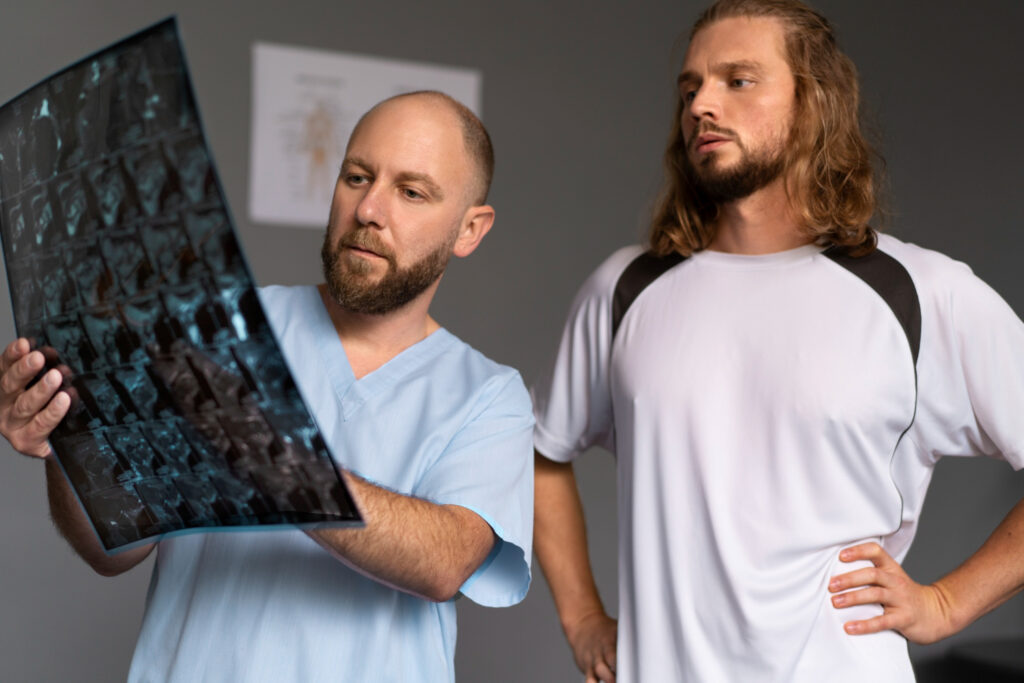
Selecting the best diagnostic radiology viewer requires careful evaluation of performance, compliance and workflow integration. Digital Imaging and Communications in Medicine (DICOM) serves as the international standard for medical imaging, but not all viewers deliver the speed, accuracy and seamless integration that modern healthcare facilities demand. The right solution for your work can enhance your diagnostic confidence, improve efficiency and support enterprise-wide imaging workflows.
Key Criteria for Evaluating Diagnostic Viewers
Several factors distinguish high-performing diagnostic viewers from basic image display tools. Picture Archiving and Communication System (PACS) stores, manages, distributes and archives medical images across facilities, while DICOM viewers are applications you use to view, manipulate and interpret images for diagnosis. Each serves a different function in the diagnostic workflow.
Diagnostic viewers should consistently display images with the accuracy required for confident interpretation. Quality assurance protocols help maintain image integrity, while compliance with established standards and regulatory requirements supports patient safety and reduces diagnostic errors.
Zero-footprint viewers let you securely access diagnostic images in a standard web browser without installing software. This capability enables remote reading, supports teleradiology workflows and simplifies deployment across multiple facilities. Performance, accessibility, feature sets and compliance with quality assurance standards form the foundation for evaluating diagnostic radiology viewers.
Top Diagnostic Radiology Viewers for MedTech Professionals
The following viewers represent leading solutions for healthcare facilities seeking reliable diagnostic imaging technology.
Candelis ImageGrid StreamVue (California)
Candelis recently launched ImageGrid StreamVue, a zero-footprint diagnostic viewer that delivers secure, browser-based image access without compromising diagnostic quality. The platform uses streaming technology to quickly load large imaging studies, enabling radiologists to begin interpreting cases without delays. This speed supports higher throughput and reduces wait times for diagnostic results.
ImageGrid StreamVue supports enterprise imaging environments with scalable deployment options that adapt to facility size and workflow requirements. With its secure remote access, radiologists can read studies from any location, supporting teleradiology and hybrid work models. The viewer integrates seamlessly with PACS, Vendor Neutral Archive (VNA) and other enterprise imaging infrastructure.
Key features:
- Zero-footprint web viewer
- Diagnostic-quality image viewing
- High-speed streaming technology
- PACS and VNA integration
Sectra IDS7 (Connecticut)
Sectra IDS7 focuses on maximizing radiologist productivity through intelligent workflow design. The platform offers highly customizable workspaces that adapt to individual reading preferences, allowing radiologists to configure layouts that match their diagnostic approach. Advanced visualization capabilities support complex diagnostic imaging interpretation, while automated hanging protocols and efficient case navigation optimize efficiency.
The platform supports multi-monitor configurations so you can review multiple studies simultaneously. Integration with existing enterprise imaging systems maintains workflow continuity, while advanced hanging protocols reduce repetitive tasks and accelerate case throughput for high-volume reading environments.
Key features:
- Customizable hanging protocols
- Advanced 2D and 3D visualization
- Intelligent workflow management
- Multi-monitor support
Visage 7 (California/Texas)
Visage 7 is known for exceptionally fast performance through server-side rendering technology. The platform handles very large imaging datasets while maintaining smooth user interaction, enabling radiologists to navigate complex studies without lag.
Advanced visualization tools support detailed examination of CT, MRI and other diagnostic modalities. The thin-client architecture enables remote reading with minimal local hardware requirements, while enterprise imaging support and AI-enabled workflow capabilities position it for evolving diagnostic needs.
Key features:
- Server-side rendering
- Thin-client architecture
- Advanced 2D and 3D visualization
- Multi-planar reconstruction
Intelerad (North Carolina)
Intelerad combines diagnostic viewing with enterprise imaging and workflow management capabilities. The platform supports cloud-based and hybrid deployments, offering flexibility for facilities managing diverse IT infrastructure. Secure collaboration features enable seamless image sharing between hospitals, imaging centers and teleradiology providers.
The platform’s workflow management tools help distribute cases efficiently across reading teams while maintaining quality standards. Cloud deployment options reduce on-premises infrastructure requirements and support scalability as imaging volumes grow, making it suitable for multi-facility healthcare networks seeking centralized imaging operations.
Key features:
- Enterprise diagnostic viewer
- Cloud-enabled deployment
- Workflow management tools
- Secure image sharing
Comparing Top Diagnostic Viewers at a Glance
This table summarizes key characteristics to help narrow your selection.
| Viewer | Deployment Model | Key Feature | Best For |
| Candelis ImageGrid Streamvue | Zero-footprint web-based | High-speed streaming technology | Facilities prioritizing rapid deployment and remote access |
| Sectra IDS7 | Enterprise installation | Customizable workflow management | Organizations maximizing radiologist productivity |
| Visage 7 | Thin-client architecture | Server-side rendering | Facilities handling very large imaging datasets |
| Intelerad | Cloud-based/hybrid | Enterprise imaging integration | Multi-facility networks requiring collaboration |
Frequently Asked Questions About Diagnostic Radiology Viewers
These common questions clarify key considerations before you purchase a viewer.
What is the difference between a PACS and a DICOM viewer?
PACS stores, manages and archives medical images across healthcare facilities, while DICOM viewers are applications radiologists use to view and interpret images for diagnosis. PACS handles backend infrastructure, whereas viewers provide the diagnostic interface.
How do quality assurance standards impact viewer performance?
Quality assurance standards ensure diagnostic viewers maintain image integrity. These protocols verify accurate display, consistent calibration and reliable performance, supporting confident interpretation and reducing errors.
Why is a ‘zero-footprint’ viewer important for modern radiology?
Zero-footprint viewers enable clinicians to access diagnostic images through a web browser without installing software. This simplifies deployment, supports remote reading and teleradiology workflows and reduces IT overhead.
Finding the Right Viewer for Your Facility’s Needs
Choosing a diagnostic viewer involves evaluating performance requirements, workflow priorities and infrastructure compatibility. Facilities benefit from solutions that integrate seamlessly with existing systems. The right fit helps your team improve diagnostic capabilities and supports your work throughout the practice.